Basic Smartphone Tips: Simple Ways to Master Your Phone
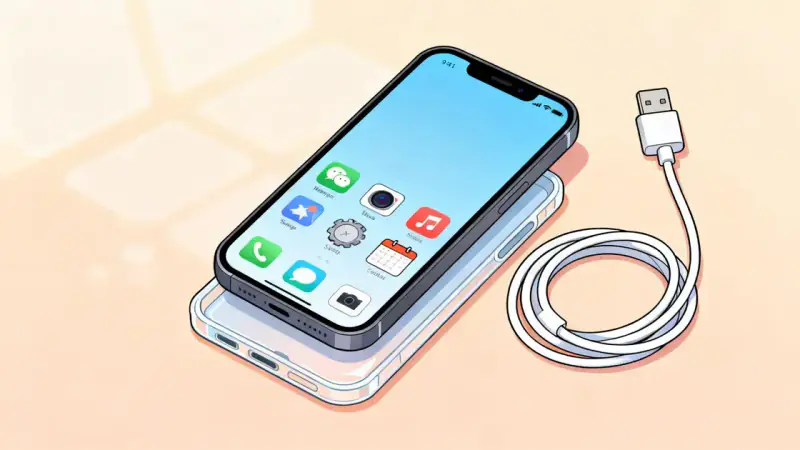
A smartphone is much more than a device in your pocket; it represents a gateway to infinite ideas, global connections, and opportunities you may never have imagined.
For those taking their first steps into this digital space, the experience can be both thrilling and intimidating. If you’re holding your first smartphone, you are on the threshold of discovering how technology can enrich your everyday life.
Navigating this new world doesn’t require tech wizardry—it simply calls for a spirit of curiosity and a willingness to learn. This article brings together practical wisdom and inspiration to help every beginner master their smartphone, transforming initial uncertainty into absolute empowerment.
Starting Strong: Setting Up Your Smartphone
The first few minutes with your smartphone are crucial. They set the stage for your experience ahead, so take a moment to become comfortable with your device.
Begin by ensuring your device is fully charged. Connect it to the charger included in your box, and let it power up.
Next, power on your phone and follow the setup prompts. You’ll be asked to select a language, connect to Wi-Fi, and sign into your Google or Apple account if prompted. This step is vital because it lets you download apps, save your contacts, and back up your data should anything ever go wrong.
- Choose a secure PIN, password, or pattern for your lock screen.
- Take note of your phone’s make and model; you’ll need this information for troubleshooting or support in the future.
- Enable device backup and auto-update features to keep your data safe and your phone performing its best.
Completing these basic initial steps ensures your phone’s safety and functionality right from the start. Now, let’s conquer the keys to navigation.
Exploring the Touchscreen: Navigation Essentials
One of the most remarkable things about modern smartphones is their intuitive touchscreen navigation designed for ease. Yet, the first time you use it, you might feel unsure. Here are the gestures you’ll use daily:
- Tap: A quick touch selects an app or button.
- Swipe: Move your finger left, right, up, or down to scroll through pages, unlock your phone, or reveal options.
- Pinch and Zoom: Use two fingers to zoom in or out of photos, maps, or web pages.
- Long Press: Hold your finger down to reveal extra functions, like moving or deleting an app.
Spend a few minutes exploring by gently tapping and swiping across your screen. With each motion, you’ll build muscle memory and confidence. Make a habit of checking the home, back, and recent apps buttons (often at the bottom of your screen) for easy navigation.
Personalizing and Organizing Your Experience
A smartphone becomes truly yours when it reflects your personality and priorities. Customization is not just fun—it makes finding what you need easier.
Begin by changing your wallpaper to a photo or color you like. Next, drag your most-used apps—messages, camera, maps, browser—to the home screen for quick access. If you want to organize further, create folders by dragging one app icon over another, such as grouping all music or news apps together.
Don’t forget to set your preferences in the settings menu. Adjust brightness, ringtones, and notifications so alerts and calls suit your daily rhythm rather than startle you.
Staying Secure and Protecting Your Privacy
With your life now partly on your device, protecting your privacy becomes especially important. Take a moment to review security and privacy options:
- Make sure you have biometric security enabled if your phone supports it (fingerprint or facial recognition).
- Review app permissions, especially for newly installed apps. Only grant access to information apps truly need.
- Set up device tracking features, like Find My Device or Find My iPhone, in case your phone is lost or stolen.
- Regularly update your software to protect against recent security risks and glitches.
True empowerment comes from knowing you can enjoy the freedom of connectivity while keeping your information safe from prying eyes.
Conquering Apps and Notifications
One of your smartphone’s strongest features is the sheer variety of apps, each designed to solve a problem, provide entertainment, or connect you with friends and family. For beginners, however, it’s easy to feel overwhelmed by choices.
Start with essential apps like email, messaging, and your preferred browser. As you grow more comfortable, explore app stores for tools that match your hobbies or needs, such as health trackers, puzzles, or news readers.
Manage notifications to avoid constant distractions. Head to notification settings and turn off alerts for apps that aren’t important to you. This will help you keep your digital world calm and focused on your priorities.
Mastering Calling, Texting, and Photos
At their heart, smartphones remain tools for connection. Practice making and receiving calls and sending messages. Experiment with video calls if your friends and family use them; seeing a loved one’s face during a conversation can be incredibly meaningful.
The camera in your pocket can capture precious memories. Practice taking photos by opening the camera app, focusing, and pressing the shutter button. You can review and share these moments instantly, bridging distances and time zones alike.
Saving Power and Managing Storage
To make sure your phone supports you all day, learn good habits for managing battery life and storage space.
Reduce screen brightness, close unused apps, and charge your device before it reaches 10% battery. Check your storage regularly and delete old photos or unused apps to keep your phone running smoothly.
| Task | How to Optimize |
|---|---|
| Battery Life | Lower brightness, close extra apps, use battery saver |
| Storage | Delete unused apps and old media regularly |
Your Journey, Your Rules
You’ve now taken the first steps into a larger digital world. Remember, every experienced user was once a beginner who fumbled with settings and wondered what to do next. Over time, your smartphone will become a trusted companion, bringing the world closer and making your daily life easier and more fulfilling.
So explore, ask questions, and don’t fear mistakes. Each tap is a chance to learn; every swipe brings you closer to mastering a tool that opens doors to family, knowledge, and wonder.
Celebrate your curiosity, and let your smartphone help you stay connected, informed, and empowered. The digital world is yours to discover—one tap at a time.