How to Organize Your Email Inbox and Reduce Daily Clutter
In the vast landscape of our digital lives, the email inbox often becomes a battleground. New messages arrive every minute, important information hides beneath marketing clutter, and unread numbers silently increase anxiety levels. The challenge to keep your inbox organized and purposeful is both universal and deeply personal.
Imagine the calm that comes from opening your inbox each day and finding exactly what you need, when you need it—no lost messages, no stress. For many, this dream seems unattainable. The good news is, organizing your email inbox isn’t just possible—it’s transformative for both your productivity and your peace of mind.
Why Inbox Organization Matters
Before launching into the how-to, it’s vital to understand the core reasons to prioritize inbox organization in your life. An overflowing inbox does more than make you feel overwhelmed; it directly impacts your ability to focus, respond in a timely manner, and extract value from your digital communications.
Thousands of unread emails contribute to digital fatigue. Important tasks get buried. Opportunities slip through unnoticed. In short, an unorganized inbox can drain both your professional potential and personal energy, making you reactive rather than proactive.
The Emotional Benefits of a Tidy Inbox
Decluttering your emails does more than just clear space; it can provide an enormous emotional lift. Many people report a sense of relief, empowerment, and even joy after taking charge of their inbox. The act itself communicates to your mind—you are in control of your digital environment. That sense of order transfers to other parts of your life as well.
This transformation isn’t just about technology; it’s about giving yourself mental space for creativity and clarity. The less your mind is bogged down by a chaotic inbox, the more clarity you’ll feel throughout the day.
Step-by-Step Guide to Organizing Your Inbox
Now that we understand why, let’s focus on how you can take practical steps—starting today—to organize your inbox for lasting change. Here’s a roadmap to guide your journey:
- Identify your priorities: What types of emails are most important to you? Work, personal, newsletters, receipts? Understanding this will help you design an organization system that reflects your needs.
- Unsubscribe ruthlessly: Set aside 15 minutes to identify emails you no longer want. Use the unsubscribe option rather than just deleting the email. The goal is to reduce incoming clutter at the source.
- Sort by sender or topic: Most email clients allow you to sort messages by sender or subject. Quickly scan for high-value conversations or newsletters versus spam and commercial emails.
If your inbox currently contains thousands of messages, consider archiving everything prior to a certain date. This sweep enables you to start with a relatively clean slate.
Setting Up Folders and Labels for Harmony
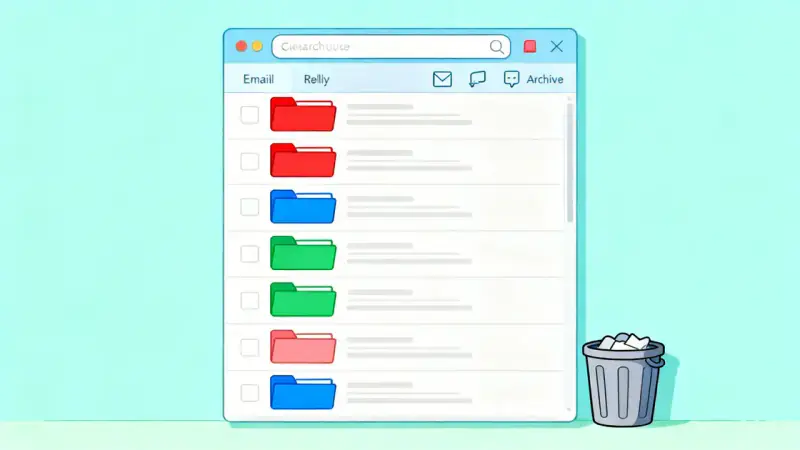
Once you’ve cleared immediate clutter, it’s time to set up a logical structure for ongoing organization. Most major email services allow you to use folders, categories, or labels. These tools empower you to group messages for easy access while preserving a tidy main inbox.
Consider organizing by:
- Project or work client
- Personal topics (family, travel, events)
- Finance, bills, or receipts
- Newsletters & subscriptions
- Follow-up or action required
Once a folder or label is in place, make it a habit to move emails out of your main inbox and into the correct category as you process them. Inboxes are for incoming messages, not for long-term storage.
Mastering Automation and Filters
Manual organization is powerful, but even more effective is using automation. Most email systems allow you to build rules or filters—automatically moving, labeling, or categorizing emails the moment they arrive. For example, all emails from an online retailer can go straight into a “Shopping” folder. All work project files can skip your inbox and land directly in their assigned folder.
Let your email client do the heavy lifting. Setting aside some time to configure rules means future organization will be nearly effortless. The combination of automation and daily review creates the foundation for lasting organization and peace of mind.
A Simple Daily and Weekly Checklist
The secret to staying organized is regular, consistent maintenance. Adopting a few daily and weekly habits preserves the calm you’ve created:
- Process new emails once or twice daily (don’t linger all day in your inbox)
- Unsubscribe from new sources that don’t serve you
- Archive or delete messages you no longer need
- Move messages into folders immediately after reading or acting
- Review and clear your main inbox at the end of the week
By spending just a few minutes each day and a bit more at the end of the week, you ensure your system continues to work—for you.
When It’s Time to Declutter Older Emails
No one wants to spend hours scrolling through years of old messages. Eventually, it’s time to review what’s truly necessary.
Set a calendar reminder to archive, delete, or backup old messages at least once a quarter. Anything that’s no longer useful or needed for records can be moved out, opening even more mental and digital space for what matters most.
The Long-Term Impact: More Than an Inbox
Inbox organization may seem like a mundane chore, but the wider effects often surprise people. Suddenly, people discover they have more mental energy for important projects, better preparedness, and a greater sense of confidence every time they open their email.
This is about more than digital hygiene—it’s about creating an environment that encourages focus, reduces stress, and brings daily calm in a world of constant digital noise. Remember: You are not obligated to be constantly overwhelmed by your inbox. You get to decide how your digital world functions for you.
Start with one small step today. Your future self—relieved, organized, and ready to seize new opportunities—will thank you.