How to Protect Personal Data Online: Essential Tips for Safe Browsing
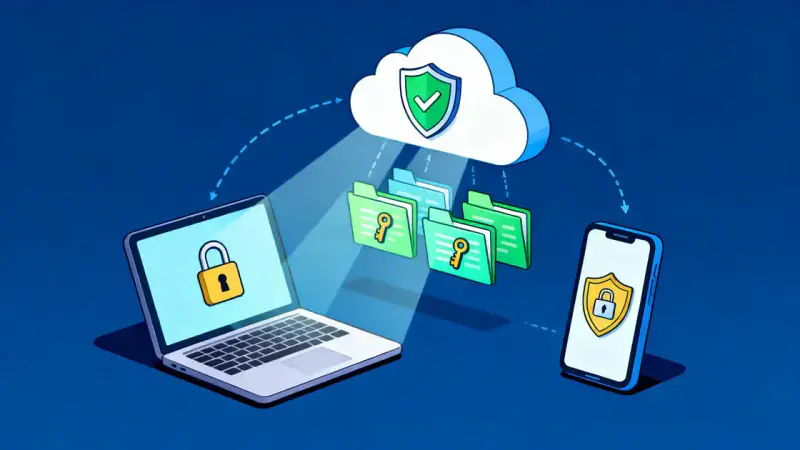
Every day, we trust the digital world with some of our most precious assets—our personal data. From simple logins to sensitive financial information and private messages, traces of who we are linger on the Internet. But have you ever stopped to think, how vulnerable our personal information can become if left unguarded? The reality is unsettling.
Cybercrime is a silent predator, evolving with technology and threatening to compromise not just our data, but our sense of safety and peace.
Yet, this story isn’t one of helplessness. Instead, it is about taking control of your digital destiny, about rebuilding your sense of safety through knowledge and practical action. Here, we unfold the most robust ways you can protect your personal data online—starting today.
The Real Value of Your Personal Data
Before diving into strategies, it’s important to recognize just how valuable your personal data truly is. Cybercriminals aren’t simply after credit card numbers. They target names, birthdays, addresses, photos, browsing histories, and even seemingly minor details like your pet’s name—because all of this can be turned into profit or used for identity theft.
Think of your digital identity like a mosaic. Each small piece of information, alone, might not seem important. But together, they create a detailed picture—a picture that can be exploited in the wrong hands.
Common Threats You’re Facing Online
Understanding the risks empowers us to guard against them. The most frequent dangers include:
- Phishing scams that attempt to trick you into revealing passwords or sensitive data
- Malware that infects your device, spying or stealing from you
- Data breaches at companies you trust with your information
- Public Wi-Fi eavesdropping and “man-in-the-middle” attacks
- Social engineering, where attackers use tricks and psychological manipulation
Often, these threats go unnoticed until it’s too late. However, awareness is the key to building a strong defense against digital dangers.
Practical Steps: Building Your Digital Fortress
While no method offers absolute security, there are powerful steps you can take to dramatically reduce your risk. Protecting your personal data online is about consistent habits and smart technological choices.
Consider integrating the following practices into your digital routine:
- Craft strong, unique passwords for every service you use. Avoid using birthdays, names, or predictable patterns. A reputable password manager can make this simple and secure.
- Enable two-factor authentication (2FA) wherever possible. This adds an extra layer of defense even if your password falls into the wrong hands.
- Keep devices and software updated. Updates often fix vulnerabilities hackers exploit.
- Think twice before sharing sensitive data, especially on social media. Oversharing can give attackers the information they need.
- Review privacy settings on all online platforms and adjust them for maximum protection.
- Be wary of suspicious messages and links. Always verify the source before providing information, clicking links, or downloading attachments.
Managing Your Digital Footprint
Imagine your online activity as a trail of footprints in wet sand. The more you tread, the clearer the trail becomes. The more information available online, the more accessible you become to cybercriminals or even advertisers seeking to profile your behaviors.
A few small adjustments can keep your trail faint:
- Regularly search for your own name online and check what information is visible to the public
- Remove old accounts you no longer use, as they could be exploited if breached
- Opt out of unnecessary data collection or marketing programs
Monitoring your digital footprint isn’t about hiding; it’s about taking back control over your personal information.
Safe Browsing: Everyday Habits That Matter
Every action you take online adds up to either security or vulnerability. Simple habits, repeated daily, can stand between you and cyber threats.
Here are some core habits to keep in mind:
- Only browse on secure networks. When possible, avoid public Wi-Fi or use a Virtual Private Network (VPN) for encrypted browsing.
- Look for HTTPS in website addresses before entering any sensitive data.
- Log out of accounts when finished, especially on shared computers.
- Use antivirus and anti-malware software, keeping it current.
Consider the following table summarizing the impact of good and risky habits:
| Habit | Risk Level | Impact |
|---|---|---|
| Reusing passwords across sites | High | One breach leads to many compromises |
| Using password managers | Low | Strong, unique passwords for each account |
| Ignoring software updates | High | Easy for hackers to exploit weaknesses |
| Staying updated | Low | Protection from known security flaws |
Recognizing Warning Signs of Online Threats
Cyber threats rarely appear without warning. In many cases, attackers rely on small mistakes or moments of distraction to succeed. Learning to recognize early warning signs can help you avoid serious security problems.
Be alert if you notice situations such as:
- Unexpected emails asking for passwords or personal information
- Messages creating urgency, such as threats that your account will be closed
- Links that lead to unfamiliar or suspicious-looking websites
- Attachments sent by unknown contacts
- Login alerts from devices or locations you don’t recognize
If something feels suspicious, pause before clicking or responding. Verifying the source directly through official websites or customer support can prevent many online scams.
Simple Tools That Can Help Protect Your Data
While good habits are the foundation of online security, certain tools can add additional protection and make managing your digital safety easier.
- Password managers help generate and store strong passwords securely.
- Antivirus software scans your device for malicious files and threats.
- Virtual Private Networks (VPNs) encrypt your connection when using public networks.
- Secure browsers offer additional privacy settings and tracking protection.
Using these tools alongside safe browsing practices creates multiple layers of protection for your personal data.
Building Long-Term Digital Security Habits
Protecting your personal data is not a one-time action but an ongoing habit. Technology constantly evolves, and new threats appear regularly. The most effective defense is maintaining consistent awareness and updating your practices over time.
You can strengthen your long-term digital safety by:
- Reviewing your passwords regularly
- Updating devices and apps whenever new versions are available
- Checking privacy settings on your online accounts
- Staying informed about new cybersecurity threats
By turning these actions into routine habits, you create a stronger and more resilient defense against potential digital risks.
Empowering Yourself for the Future
You don’t have to be a cybersecurity expert to stay safe. Armed with practical knowledge and mindful routines, you can navigate the digital world confidently.
Remember, each small habit you build today strengthens your defenses for tomorrow. Empower yourself and those around you by staying informed and vigilant. Teach family and friends, discuss online privacy openly, and encourage everyone to think before they click.
Ultimately, protecting your personal data online is an act of self-respect and a promise of safety to yourself and those you love. The digital age brings incredible opportunity, but with it, a greater responsibility to protect our digital selves.
Review your digital habits now. Make a change this very day. The future of your privacy is in your hands—guard it well.