Mastering Technology Basics: A Beginner’s Comprehensive Guide

Stepping into the world of technology for the first time can feel daunting. The devices, the language, and even the sheer variety of choices might leave you feeling left behind or overwhelmed. If you’ve ever thought “technology just isn’t for me,” you’re not alone—and you’re not too late.
This article is here to help you lay a strong foundation and develop confidence in navigating the digital age.
Whether you want to better connect with family, manage daily tasks, or simply stay informed, knowing the basics of technology opens new doors. It can enrich your life in profound ways by fostering independence, boosting productivity, and even sparking creativity. Let’s start your journey today with encouragement, practical steps, and hope.
Understanding What Technology Means in Today’s World
Technology now shapes almost every part of our lives. From the humble telephone of decades past, we now have powerful computers in our pockets—smartphones. But what exactly is technology, and why is it vital for everyone to understand its basics?
In simple terms, technology refers to tools and systems that help us solve problems and make life easier. This includes everything from digital devices, such as computers and tablets, to the Internet and a vast world of apps.
The Core Devices: Meeting Your Digital Companions
Before diving into software, let’s focus on the essential devices every beginner should know about. Each serves a unique purpose, and knowing their basics will help you choose the right one for your needs.
- Desktop Computer: Often used in homes and offices, ideal for tasks like writing, browsing, or managing photos.
- Laptop: Portable yet powerful, great for work or on-the-go access to documents and the web.
- Tablet: Lightweight, touch-based, and perfect for reading, browsing, and media enjoyment.
- Smartphone: Pocket-sized and versatile, lets you call, text, take photos, and access the Internet anywhere.
For many beginners, smartphones and tablets open up amazing new possibilities—from video calling relatives to quickly finding answers online.
Decoding the Language of Technology
It’s common to feel lost among so many terms. Here are a few key words you’ll hear often:
- App: Short for “application,” it’s a program you use on your phone, computer, or tablet,—for example, messaging or weather apps.
- Browser: The tool (like Chrome or Safari) that helps you explore websites on the Internet.
- Wi-Fi: A wireless network that allows devices to access the Internet without cords.
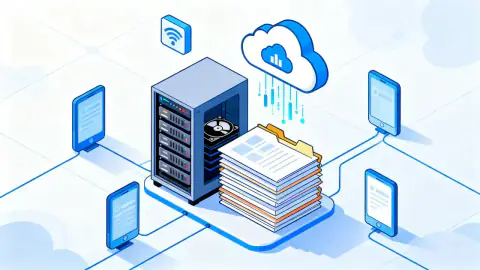
- Cloud: Storage space online, so you can save photos or files and access them anywhere.
- Update: A change or upgrade to software that adds features or fixes problems.
Don’t worry about memorizing every term. With regular use and a little curiosity, these words will soon become familiar.
Getting Started: Internet Essentials
The Internet is your gateway to information, entertainment, and connection. To begin, you’ll need:
- An Internet connection at home or through public Wi-Fi spots (such as at a library).
- An Internet-ready device such as a smartphone, tablet, or computer.
- A web browser installed on your device.
Once online, you can visit websites, talk with friends and family, watch videos, learn new skills, and so much more. The Internet brings the world to your fingertips.
Staying Safe: Security Basics for Beginners
Safety and privacy should always be at the core of your technology journey. Protecting your device and personal data matters—especially as you become more active online.
Here are some practical steps you can take right away:
- Use strong, unique passwords for each account. Avoid using information like birthdays.
- Be cautious of suspicious emails or messages. Never click on links from unknown sources.
- Update your devices regularly to ensure you have the latest security patches.
- Install antivirus software and keep it up to date.
Building awareness with these practices can make your digital life safer and more secure.
Practical Problem-Solving: Troubleshooting Basics
Inevitably, everyone encounters challenges with technology. The best part? Most issues can be fixed with a few basic steps.
| Issue | First Steps to Try |
|---|---|
| Device freezes | Restart the device |
| Can’t connect to Wi-Fi | Check if Wi-Fi is on, restart router |
| Slow performance | Close unused apps or restart device |
| Forgot password | Use password reset option |
Rather than feeling disheartened, remember: every problem you solve builds your skills and enhances your tech confidence!
Nurturing Curiosity: Lifelong Learning with Technology
Learning technology isn’t a race—it’s a journey. With every new app explored or device you try, your comfort and capability grow. The digital world is constantly changing, so staying curious is more valuable than knowing every detail.
If you can, invite a friend or family member to learn alongside you. Many community centers, libraries, and even local clubs offer free training or workshops designed for beginners.
Celebrate each small victory, from setting up a new email to joining your first video chat. These triumphs, however simple, matter deeply and build self-belief.
The Path Forward: You Belong in the Digital Age
Mastering technology basics isn’t just about convenience—it’s about empowerment. With patience, persistence, and a healthy dose of curiosity, you can turn unfamiliar devices into powerful tools for connection and growth.
You are never too old or “non-technical” to start this journey. The most important step is believing that technology is for everyone—including you. Whether you dream of reconnecting with distant friends or simply want to manage your day more easily, these building blocks will be your foundation.
The digital world awaits, full of possibilities and wonder. Take that first step. Embrace your new role as a confident explorer of technology—and unlock a brighter, more connected future.